Help, guides, and answers for Daytab, the private, on-device expense tracker that keeps everything on your phone.
Hi, I'm Brian. I build and maintain Daytab on my own, here in Singapore. If something isn't working, email me directly at phrypy@gmail.com. I read everything and usually reply within a day.
Daytab logs your spending in seconds and keeps everything on your device, with no account, ever.
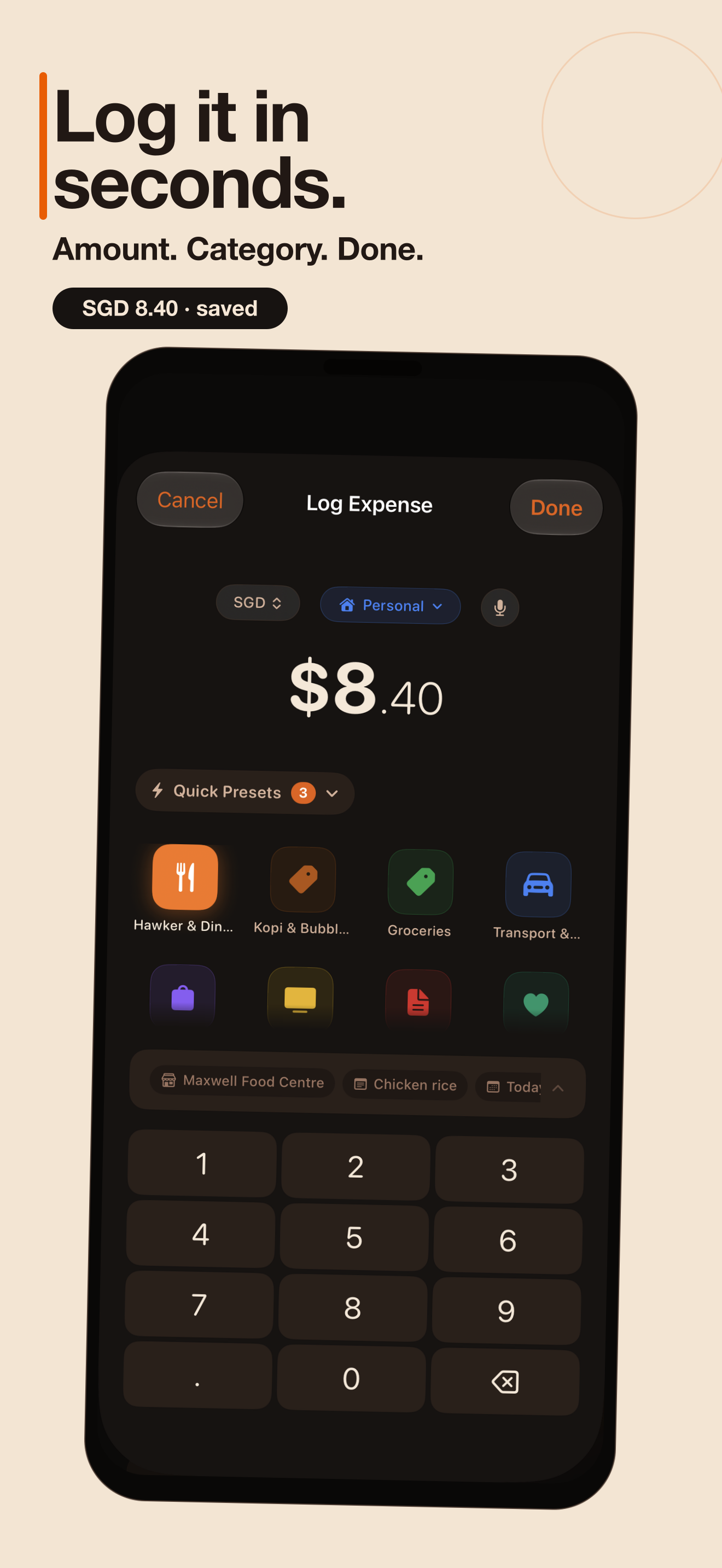
On first launch you set a daily budget and your home currency (both changeable later in Settings). Tap the + button, type an amount, pick a category, done.
Optional details (note, merchant, date, split, wallet) live behind "Add details."
Several ways to log without friction:
Save regulars (e.g. "Kopi S$2.20"); tap one to log instantly. Manage them in Settings → Quick Presets.
Add the Quick Log widget; tap a preset right from your Home Screen.
Say "Log expense in Daytab", or build automations. See the full Daytab Shortcuts guide. Daytab Shortcuts guide.
Assign the Log shortcut to double-tap-back or the Action Button.
Add Daytab's "Log Expense" control for one-tap logging from Control Center or the Lock Screen.
Stick an NFC tag on your wallet or desk and have a tap log a preset (set up via Shortcuts → Automation → NFC).
Requires Daytab 1.2. Update to the latest version.
In Subscriptions, turn on "Auto-log" for any recurring bill (Netflix, Spotify, transit pass). Daytab posts the expense automatically when it's due, with no taps. It catches up if you hadn't opened the app, and won't double-post across your devices.
For subscriptions you'd rather confirm, you get a notification with "Log it" and "Skip" buttons that work without opening the app.
Pair Daytab's "Log Wallet Transaction" action with a Personal Automation in Shortcuts so card payments prompt a log. (Daytab can't read your bank. This is the private, on-device way to get close.)
Opt in and Daytab nudges you around the time you usually log, and stays quiet once you've logged for the day.
Daytab reads the details so you don't type them.
Tap the scan button on the dashboard (or share a screenshot to Daytab) to capture a paper receipt.
Screenshot your DBS/POSB, OCBC, or UOB payment confirmation; Daytab pulls the amount, recipient, and date. Singapore merchant names are auto-categorised.
Everything runs on-device with Apple's Vision, so your receipts never leave your phone. Free plan includes 5 scans/month; Daytab Pro is unlimited.
Open Insights → "Your Wrapped" for a shareable, story-style recap of your year: a month-by-month heatmap, your top category, biggest single spend, quietest month, and most consistent habit.
Each card exports as a wallpaper-ready image. It's free.
Daytab handles multiple currencies honestly.
Foreign amounts show your home value too (e.g. "¥1000 ≈ S$9").
Now reconverts your whole history at today's rates, keeps every original amount intact (it's reversible), and works offline using the latest stored rates. See exactly which rates Daytab holds under Settings → Exchange Rates.
Temporarily logs in a trip currency without changing your base.
Daytab ships Singapore-native categories (Hawker & Dining, Kopi & Bubble Tea, Groceries, Transport & MRT, and more) and recognises common local chains when scanning or using voice. You can rename, recolour, reorder, or add your own.
On the Budgets screen you can also set a CPF-aware take-home income to plan against what actually lands in your account.
23 themes (from the signature gold to muted Kopi, Midnight, and daylight palettes) under Settings → Appearance.
Prefer something other than the orange icon? Pick an alternative app icon (Kopi, Midnight, Cream, or Mono) in the same screen, all free.
Daytab is private by design: no account, no sign-up, no tracking, and your data stays on your device.
Optional iCloud sync keeps your own devices in step through your private iCloud. Export everything to CSV or PDF anytime (Settings → Data).
Delete the app and your data is gone. There's no server copy.
Still stuck or have a feature request? Email me and Brian (the solo developer) will get back to you.
Include your iOS version and Daytab version (Settings shows it at the bottom) so I can help faster.